Learn
What User Provisioning Covers Once the Google Workspace Account Already Exists

Updated: Nov 20, 2026
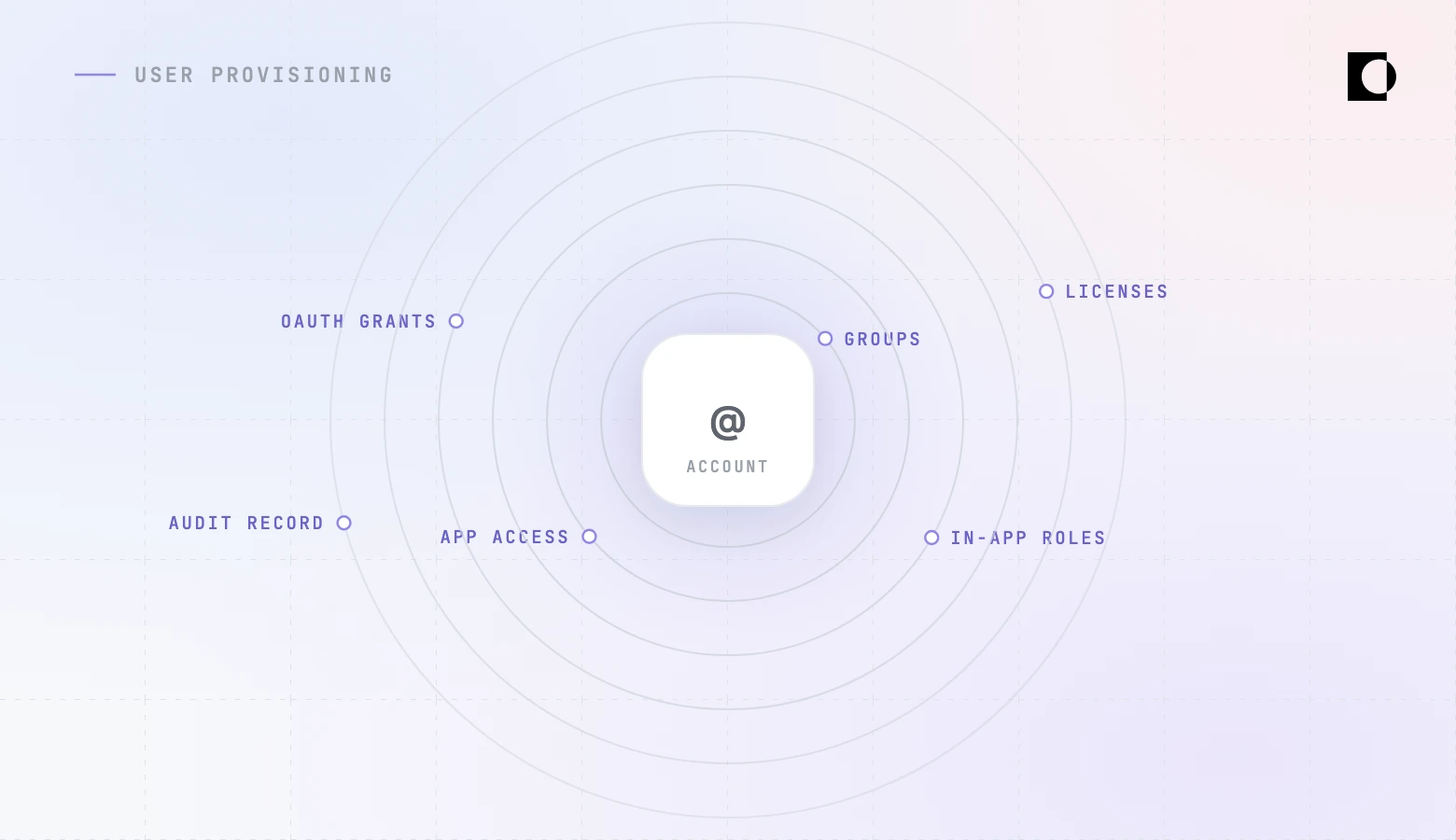
Once a Google Workspace account exists, user provisioning covers everything that account still needs before the person can work safely. That includes group memberships, access to SSO and non-SSO apps, role-based permissions inside each tool, paid licenses, the third-party apps the user authorizes, and a record of who granted what. It also covers every change after day one, through role moves and the final offboarding. ShiftControl's perspective comes from practice. Its founders ran IT at ExpressVPN as it scaled from 100 to 700+ employees across 7 global offices, and they built a platform made for Google Workspace that treats the account as the starting point of provisioning.
TL;DR
- A Google account establishes identity. Provisioning decides what that identity can reach.
- Post-creation provisioning has several layers: groups, app access, in-app roles, OAuth grants, licenses and audit records.
- Rules based on department, location and role keep access accurate as people move. Granting access by name drifts over time.
- SCIM automates apps that support it. Every other app gets a named owner and a tracked task.
- Offboarding is provisioning in reverse, and it leaves the most gaps.
About the Author: This article was written by the ShiftControl team, operators who ran IT through ExpressVPN’s growth and now build IT operations software purpose-built for Google Workspace, used by companies with no dedicated IT team.
What is user provisioning when the Google account already exists?
User provisioning is the process of granting, changing and removing a person’s access to systems based on who they are and what they do. Account creation is only one narrow step in it. Google’s setup tooling handles domain setup and can guide the migration of existing email accounts. Neither step decides which files, apps or admin rights the user gets.
So when people ask “what is user provisioning” after the account is live, they are asking about the rest of identity lifecycle management. Identity lifecycle management covers the joiner, mover and leaver stages, kept in sync with your source of truth, usually the HRIS.
What does provisioning cover after the account is created?
The account is the anchor, and provisioning covers each layer attached to it:
| Layer | What it includes | What goes wrong if skipped |
|---|---|---|
| Google Groups | Team, department and location groups, plus the shared drives and calendars inherited through them | New hires can’t find team files, and leavers keep receiving group mail |
| SSO app access | Google Workspace SSO via SAML or OIDC for supported apps | Separate passwords multiply and become harder to revoke |
| Non-SSO app access | Accounts created manually by app owners | Accounts nobody remembers to remove |
| In-app roles | Role based access control and admin rights inside each tool | Privilege sprawl as people collect rights |
| Third-party grants | OAuth scopes users approve when they “Sign in with Google” | Unvetted apps reading mail and files |
| Licenses | Paid seats assigned and reclaimed | Paying for people who left |
| Audit trail | Who granted what, and when | No evidence for SOC 2 or ISO 27001 reviews |
How do role based access control and dynamic groups keep access correct?
The table only stays accurate if access is assigned by logic rather than by memory. Role based access control attaches permissions to a role or attribute instead of to an individual.
Picture an office where every door checks a central list of departments instead of a list of names. Move someone from Sales to Finance on that one list, and every door they can open changes at once. Nobody has to touch a single lock. Dynamic groups work the same way. Membership is calculated from HRIS attributes such as department, location or team. When an attribute changes, the group recalculates, and every app attached to the group follows.
Granting by name breaks down in a predictable way. People request new access when they change roles, but nobody requests removal of the old access. Over a few role changes, a single employee can quietly hold the combined rights of every job they have done.
Where does SCIM provisioning fit, and where does it stop?
A related but distinct question is how access reaches each individual app. Two standards do different jobs:
- SSO (SAML or OIDC) handles authentication. The user signs in with their Google identity.
- SCIM provisioning (SCIM 2.0) lets a directory create, update and deactivate the account inside the app automatically.
The difference matters at offboarding. Suspending a Google account blocks SSO logins, but an app account with its own password, or an active session, can survive. Google Workspace offers SSO and automatic provisioning for some apps. Google supports automated user provisioning for many popular cloud applications, with custom SCIM profiles for other SAML apps, but many smaller tools don’t support SCIM at all. The practical fix is simple: every non-SCIM app gets a named owner, and joiner and leaver events create a task for that owner.
What should an IT onboarding checklist include for an existing account?
The layers above turn into a repeatable IT onboarding checklist:
- Confirm HRIS data. Department, title, location, manager and start date must be correct, because every rule depends on them.
- Time the activation. Activate the account shortly before the start date so access and welcome emails don’t arrive early.
- Apply group rules. Let attribute-based groups assign drives, calendars and mailing lists.
- Assign apps through groups. Use SSO and SCIM where available. Create owner tasks for the rest.
- Set in-app roles to least privilege. Grant admin rights by exception.
- Enforce 2-Step Verification before sensitive apps are opened.
- Assign licenses and record which team owns the cost.
- Route extra requests through the manager and then the app owner, and log each approval.
Employee onboarding automation means the HRIS record triggers steps 2 through 7 without anyone re-entering data.
What belongs on an employee offboarding checklist?
Offboarding runs the same lifecycle backwards. A missed step leaves access open, which makes it riskier than onboarding. A solid employee offboarding checklist covers:
- Suspend the Google account on the termination date, including group memberships.
- Transfer Drive files and email ownership before any deletion.
- Deprovision SCIM apps, and close tasks for every non-SCIM app.
- Review and revoke OAuth grants the person approved.
- Recover the laptop and confirm its encryption status.
- Rotate shared credentials stored in your password manager, such as 1Password.
- Reclaim paid licenses.
- Export the record as audit evidence.
Frameworks such as SOC 2, ISO 27001 and HIPAA all expect timely deprovisioning. Orphaned accounts in non-SCIM apps are a common gap in access reviews.
How do you run user lifecycle management without an IT team?
In smaller companies, a founder, COO or People lead usually runs these checklists alongside a full-time job. ShiftControl is built for operators, not IT teams, so no IT hire is required. In ShiftControl, the HRIS creates the Google account with department, title and location filled in, and rules add groups. Role changes update Google the same day, and termination suspends the account. Any app outside Google becomes a task for its owner.
The same platform handles provisioning and access, SaaS spend management, app-permission visibility and incident response, instead of four tools and a spreadsheet. Setup takes about 30 minutes through a single Google Workspace login.
Frequently Asked Questions
Does creating a Google Workspace account provision the user? Only partly. It creates the identity. Groups, app access, roles and licenses still have to be assigned.
What is the difference between Google Workspace SSO and SCIM? SSO controls how users sign in. SCIM creates and removes their accounts inside apps.
Do I need SCIM for every app? No. Use SCIM where it is supported, and assign owner tasks for everything else.
What is user lifecycle management? It is managing access across joining, role changes and leaving, driven by HR data.
When should offboarding happen? On the termination date, with the Google account suspension and app revocation completed together.
Is the Google Admin Console enough? It manages accounts and groups well. Tracking access in non-Google apps and owner tasks usually needs another layer.
About ShiftControl
ShiftControl is an IT operations platform purpose-built for Google Workspace that lets operators run provisioning, SaaS spend, app permissions and incident response from one place. Its founders ran IT at ExpressVPN as it scaled from 100 to 700+ employees across 7 global offices, and they believe security basics should not be locked behind expensive tiers. Cyber incident response (IR-1, via Blackpanda) is included on annual Core and Enterprise plans. ShiftControl is SOC 2 compliant and ISO-aligned, has signed the CISA Secure by Design Pledge, and publishes standard per-user pricing alongside a separate discounted startup tier.
To see how rule-based provisioning would map to your own Google Workspace, explore ShiftControl at https://shiftcontrol.io/.
References
- Google Workspace Setup: Getting Started | Promevo (google.com)
Get started
Experience SaaS management as it should be: straightforward management and robust security with ShiftControl.
Start free trial