Guide
Should Contractors and Freelancers Get Their Own Google Workspace Account?

Updated: Nov 23, 2026
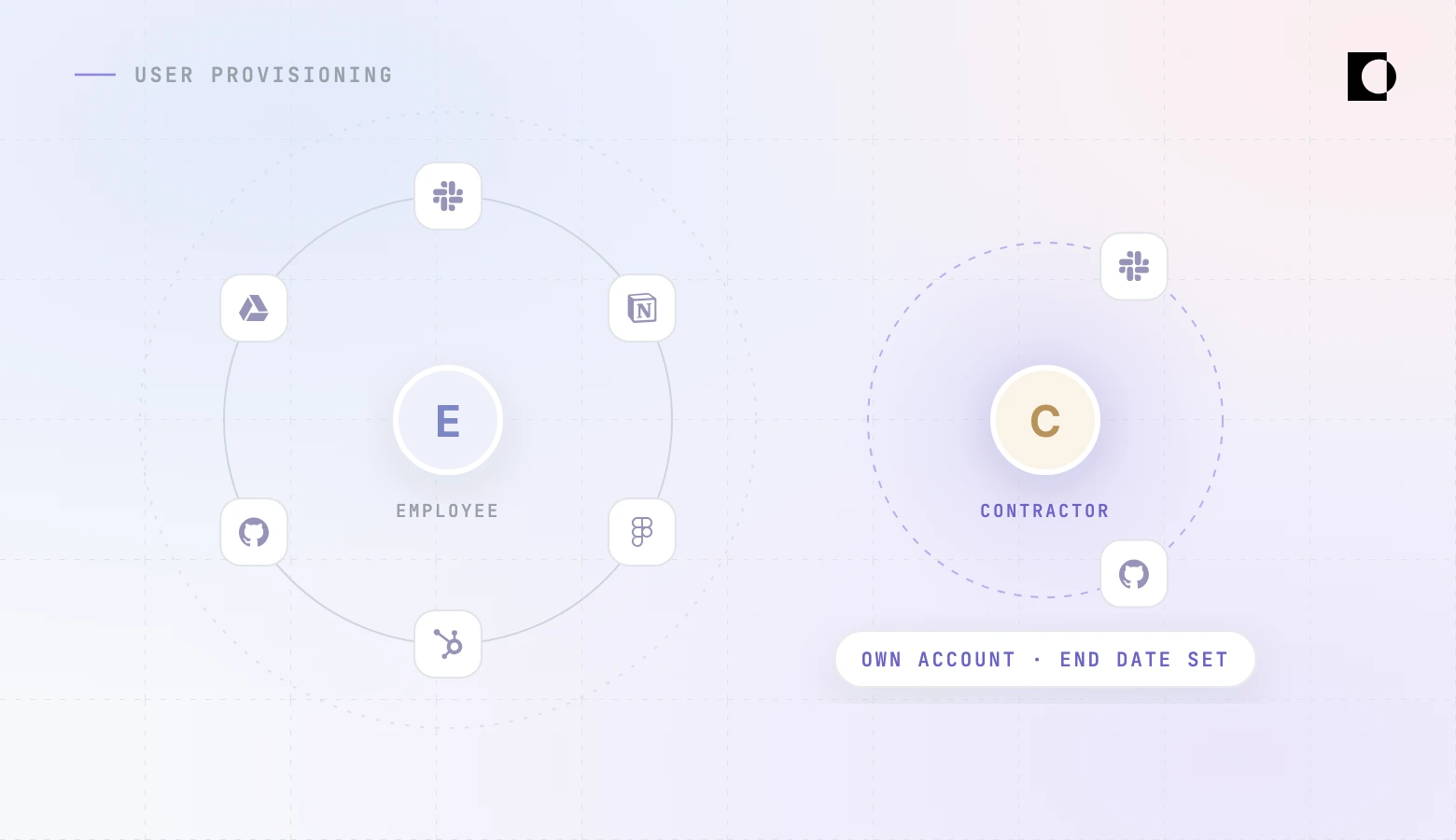
In most cases, yes. A contractor who will handle company or customer data, sign into other business apps or work with you on an ongoing basis should get a company-managed Google Workspace account. Place it in a dedicated contractor group and give it a scheduled end date. Sharing work to a personal Gmail address spreads access across many individually shared files and app logins, and you cannot switch them all off in one action. ShiftControl's founders scaled IT at ExpressVPN. ShiftControl builds user lifecycle management tools for Google Workspace teams with no IT department, and this guide reflects how it recommends operators handle contractor access when nobody has "IT" in their title.
TL;DR
- Give contractors a company account when they touch sensitive data, use Google sign-in for other apps or work with you on an ongoing basis.
- You cannot suspend a personal account, so access to it has to be removed file by file and app by app.
- Google offers guest accounts for collaborating with people outside your Workspace. Contractors need a supported license to be covered by Context-Aware Access policies.
- Set the end date on day one so offboarding is already scheduled.
About the Author: Written by the ShiftControl team.
When should a contractor get their own Google Workspace account?
The most useful test is how far into your systems the contractor reaches. Engagement length matters less. A three-week developer with access to your CRM and customer folders carries more risk than a six-month designer who only receives briefs by email.
Give a company account when the contractor will:
- Access customer data, financial records or systems in scope for SOC 2 or ISO 27001
- Sign into other tools where Google Workspace SSO is the login
- Need Google Groups, shared drives or team calendars for daily work
- Email customers or partners on your behalf
Personal or guest access is usually enough for someone who reviews a few documents or joins the occasional meeting. Keep in mind that some freelancers run their own Google Workspace for their business. Anything you share with them lands in a tenant you have no visibility into.
What goes wrong when contractors use personal accounts?
Personal accounts never give you a single identity you can turn off. Every grant attaches to an account someone else controls.
Think of the difference between an office keycard and a set of cut keys. A company account works like a keycard: every door checks the same card, so deactivating it locks all of them at once. Sharing to a personal email works like cutting a key for each door. The only way to lock someone out is to find and change every lock they had a key for.
In practice, this creates four problems:
- Scattered shares. You have to find and unshare each file or folder shared to a personal address individually.
- Invisible sign-ups. A contractor may use “Sign in with Google” on a personal account to join a work tool. That connection never appears in your Workspace’s third-party app list.
- No policy reach. You cannot enforce MFA or session rules on an account you don’t administer.
- Audit gaps. You can’t show an auditor who accessed what when the account isn’t yours.
What are the options for giving contractors access?
There are three realistic setups, and each one fits a different kind of engagement. Google made guest accounts generally available in 2026 for collaborating with people outside your Workspace. Google Workspace Admin Help notes that contractors, like full-time employees, must have a supported license to be covered by Context-Aware Access policies.
| Option | Best for | Main control gap |
|---|---|---|
| Sharing to a personal or freelancer-owned account | One-off review of a few files | No central off-switch, because access is scattered across each shared item |
| Google Workspace guest account | Light external collaboration | Granular device and access policies generally need a supported license |
| Licensed company account | Ongoing work, sensitive data, SSO into other apps | Costs a seat, and lingers if nobody sets an end date |
Does every contractor need a paid seat like Google Workspace Business Starter?
No. Only contractors who pass the test above need a licensed seat. Once you’ve picked an account type, the next question is cost. Google Workspace Business Starter is the entry-level paid plan.
Two practical points:
- Check policy support before choosing a tier. Context-Aware Access needs an Enterprise Standard or Plus (or Frontline) edition, so Business Starter seats aren’t covered.
- Reclaim seats when contracts end. A seat bills every month it stays active. A contractor who finished in March but whose seat was never removed keeps costing you money, because on the Flexible Plan Google Workspace charges for suspended users at the same rate as active users.
What should a contractor onboarding checklist include?
The setup should take minutes if you define it once. A practical contractor onboarding checklist:
- Make contractors easy to filter. Use a naming convention or a dedicated organizational unit.
- Add them to a “Contractors” group. Assign apps through role-based access control, so access comes from their role and not from one-off favors.
- Grant the minimum. Give them specific shared drives, no company-wide groups and no admin roles.
- Enforce MFA from the first login.
- Route other apps through Google Workspace SSO so one account controls every login.
- Record the end date and an internal owner for the engagement.
- Schedule offboarding on the day you onboard.
Automated user provisioning makes steps 2, 3 and 7 repeatable. Adding the contractor to the right group grants the access, and removing them from the group takes it away.
How do you offboard a contractor without missing access?
Offboarding is where a company account pays off, because you have one identity to suspend. Contractors are also easier to forget than employees. Their end date often needs to be tracked in a contract or calendar system.
A sound process:
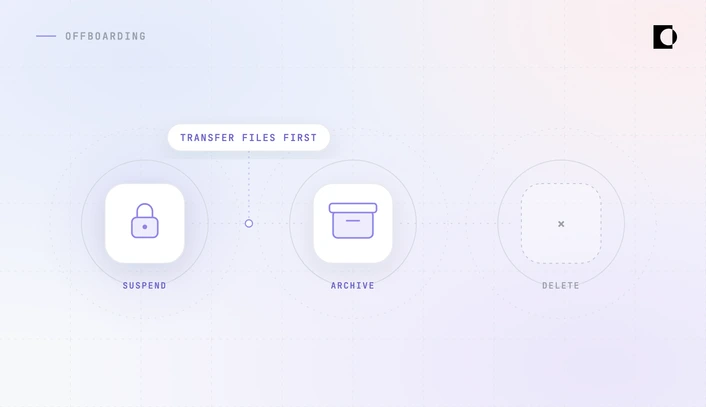
- Suspend the Google account on the contract end date and remove its group memberships
- Transfer ownership of their Drive files to the internal owner
- Review apps they authorized with Google sign-in, and revoke risky OAuth scopes
- Remove their accounts in non-Google tools, since suspending Google does not remove accounts inside third-party apps
- Reclaim the license
ShiftControl handles the Google side of this list. It syncs with HR systems including Deel and Gusto, and it lets you schedule offboarding for a known end date. On that date it suspends the Google account with groups included. Every non-Google app becomes a task for its owner, and Permissions Insights shows which third-party apps the contractor connected.
Frequently Asked Questions
Can a contractor use their personal Gmail for work?
Yes, for limited file reviews. For customer data, other business apps or ongoing work, use a company account you can suspend in one step.
Are Google Workspace guest accounts enough for freelancers?
Guest accounts suit light external collaboration. If you need Context-Aware Access policies, use a supported license, which Google requires for contractors to be covered by them.
Should contractors share groups with employees?
Generally no. A separate contractor group lets you apply narrower rules and find every contractor quickly at audit time.
What happens to a contractor’s files when they leave?
Transfer ownership to an internal owner before you delete the account. Otherwise you risk losing work they created.
Who should own contractor access in a small company?
The person who hired the contractor owns that account. An operator such as the COO or head of people owns the overall user lifecycle management process.
About ShiftControl
ShiftControl is purpose-built for Google Workspace and designed for operators, not IT teams, so no dedicated IT hire is required. One platform covers provisioning and access, SaaS spend management, app-permission visibility and incident response, with cyber incident response (IR-1, via Blackpanda) included on annual Core and Enterprise plans. Setup takes about 30 minutes through a single Google Workspace login, and ShiftControl is SOC 2 Type 2 compliant, ISO 27001 certified and signed the CISA Secure by Design Pledge in 2024. Pricing is public, with a standard per-user price and a separate discounted startup tier.
If your contractor access is spread across shared files and logins you can’t see, explore how ShiftControl brings it under control at shiftcontrol.io.
References
- Introducing guest accounts (workspaceupdates.googleblog.com)
- Context-Aware Access (support.google.com)
- Understand Google Workspace bills and charges (knowledge.workspace.google.com)
Get started
Experience SaaS management as it should be: straightforward management and robust security with ShiftControl.
Start free trial