Guide
Suspend, Archive or Delete? What Happens to an Offboarded Employee's Google Workspace Data

Updated: Nov 23, 2026
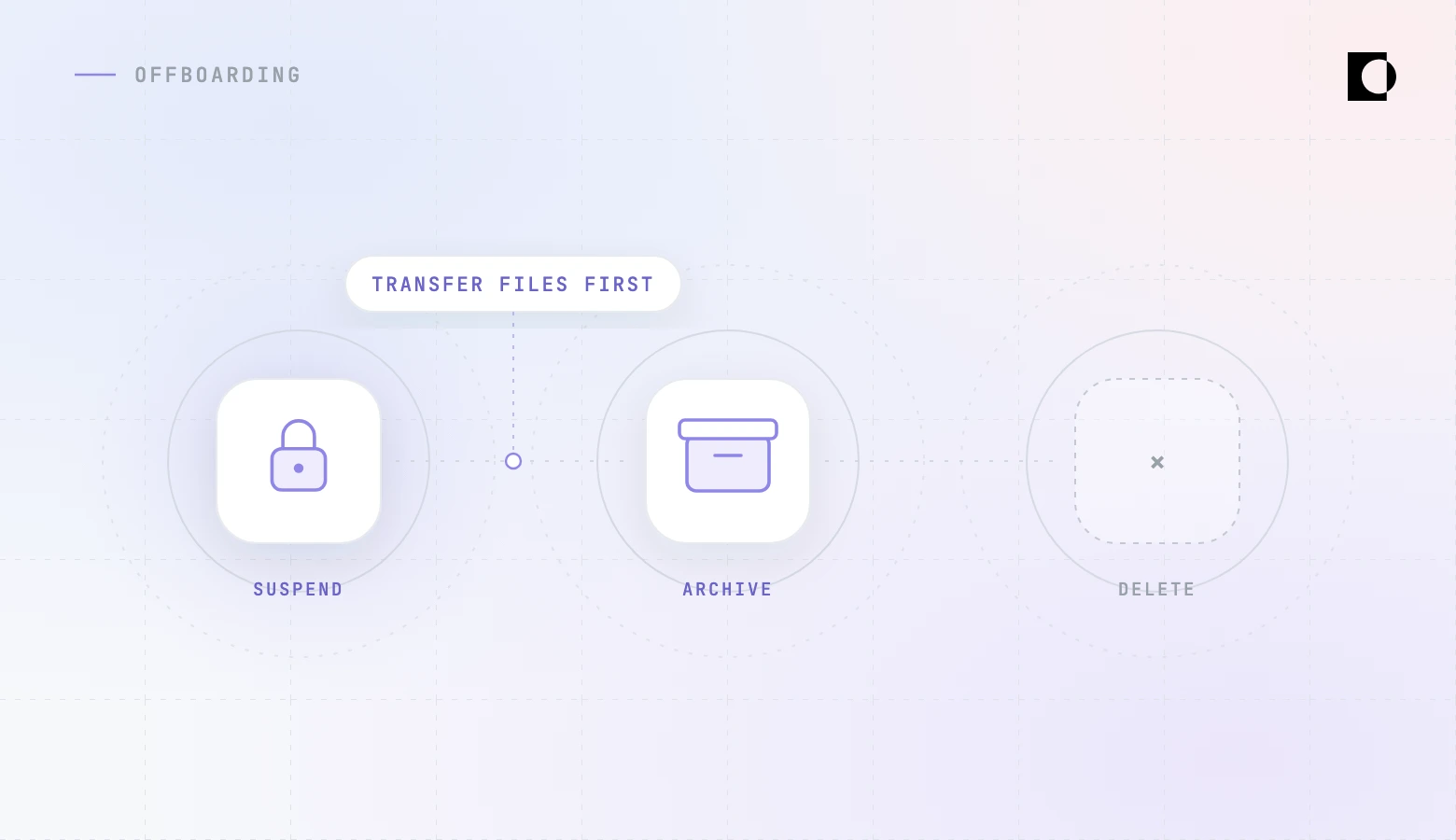
When an employee leaves, Google Workspace gives you three options, and each one handles data, cost and recovery differently. Suspending blocks sign-in, keeps all data indefinitely and keeps billing at the active rate. Archiving preserves the data under Google Vault retention rules on a dedicated Archived User license. Deleting frees the license, but standard data is permanently removed, and Google says Vault holds and retention rules stop applying at deletion, so that data can be purged right away. The safe sequence is to suspend first, transfer ownership second and then archive or delete deliberately, with the decision recorded.
TL;DR
- Suspend on the last day. It blocks sign-in, keeps every file and is fully reversible.
- Transfer Google Drive ownership before deletion, or files the user owned are lost after the recovery window.
- Deleting a user ends Vault holds and retention rules on their data, which can then be purged right away, so never delete anyone covered by a legal hold or retention policy.
- Use a Google Workspace archived user license when you need the data long term but no longer need the person.
- Record what you did and why. SOC 2 and ISO 27001 audits ask for that evidence.
About the Author: ShiftControl is a SaaS management platform made for Google Workspace, built by founders who scaled IT at ExpressVPN. The team designs offboarding workflows for companies that run IT without a dedicated IT team.
What is the difference between suspending, archiving and deleting a Google Workspace user?
These are three different states for a departed user’s account. They differ in who can reach the data, what you pay and whether you can undo the action.
| Suspend | Archive | Delete | |
|---|---|---|---|
| Sign-in | Blocked | Blocked | Account removed |
| Data | Kept indefinitely | Kept under Vault retention rules | Standard data permanently removed |
| Vault data | Retained | Retained | Unprotected, can be purged immediately |
| Licensing | Billed at the active rate | Archived User license | License freed |
| Reversible? | Yes, unsuspend anytime | Yes, restore to active | Within the recovery window, standard data only |
| Best for | The first days after exit | Long-term retention or legal hold | Data already transferred, no retention need |
Why does the order of offboarding steps matter?
The order matters because only one of the three actions destroys data, and it does so in two stages. Think of the account as a leased office:
- Suspending is like changing the locks. Nobody gets in, everything stays on the desks and you keep paying full rent.
- Archiving is like moving the boxes to a records room. You stop paying for a working office, and legal can still search the boxes.
- Deleting is like calling the shredding truck. You have a recovery window to stop the shredding of the desk files. Anything already filed with legal (Vault) loses its hold, so it can be purged right away.
That last point catches teams out. Many admins assume the recovery window protects everything. It does not cover Vault-governed data, because Vault holds stop applying at deletion and that data can be purged right away. If someone might be involved in a dispute, an audit or a regulatory request, deleting the account can destroy your evidence.
Order also matters for speed. When every destructive step waits on one busy Super Admin, offboarding gets delayed or rushed.
How do you transfer Google Drive ownership before removing a user?
The transfer of Google Drive ownership is the step that protects company files. It has to happen while the account still exists.
- Suspend the account so nothing changes while you work.
- Choose a recipient. This is usually the manager or the person taking over the role, not a generic admin account.
- Run the transfer using the Admin console’s data transfer tool, or the transfer prompt Google shows when you delete a user. Transferred files land in a folder in the recipient’s My Drive.
- Handle Gmail separately. The Drive transfer does not cover the mailbox. If you need the mail, archive the account or export it through Vault first.
- Check shared drives. Files in shared drives belong to the organization, so they are unaffected. This is a strong reason to keep team work in shared drives in the first place.
Practitioner opinion: if a departing employee owned critical files in My Drive, treat that as a process gap and fix it for the whole team.
When does a Google Workspace archived user make sense?
Cost matters too. Suspension feels safe, but a suspended user still counts toward your Google Workspace license cost at the full active rate, indefinitely. The Archived User license exists for people whose data you must keep but who will never sign in again.
Archive when:
- The person is under a legal hold or covered by a Vault retention rule.
- Your industry or contracts require you to keep records for a defined period.
- You may need to search their mail or files later, but a successor already has the working files.
Delete once the files have been transferred and no retention rule applies. Google then gives you 20 days to restore the user if something comes up. Check your own Workspace edition’s pricing and availability for Archived User licenses before you decide.
What do GDPR, SOC 2 and ISO 27001 expect from offboarding data handling?
Regulators and auditors care about two things: that access ends promptly, and that data is kept only as long as it is justified.
- GDPR applies a storage limitation principle. Former employees’ personal data should be deleted once it is no longer necessary for its original purpose.
- GDPR also allows you to keep data required for legal or tax compliance.
- SOC 2 criterion CC6.2 requires timely removal of logical access.
- ISO 27001 Annex A controls 5.11 and 5.18 cover the return of organizational assets and the removal of access rights in line with your access control policy.
Taken together, these rules favor a documented, time-boxed approach. Suspend immediately, keep data only where you have a stated reason and delete once that reason expires. “We keep everything forever” fails the privacy test. “We deleted it on day one” can fail the legal test.
What should an employee offboarding checklist for Google Workspace include?
An employee offboarding checklist turns the steps above into a repeatable process that anyone on the team can run:
- Suspend the Google account on the termination date
- Remove the user from Google groups
- Revoke OAuth access to third-party apps
- Transfer Google Drive ownership to a named successor
- Export or archive Gmail if needed
- Check legal holds and Vault retention rules before any deletion
- Deprovision non-Google apps. Suspending a Google account does not remove the user’s account inside a third-party app
- Reclaim Google Workspace licenses
- Record the decision (archive or delete) and the date
ShiftControl automates much of this workflow for teams without IT staff. When your HR system sends a termination date, it suspends the Google account on that date and removes its Google Workspace access. Every non-Google app becomes a task for its owner. ShiftControl lets you reclaim Google Workspace licenses from suspended accounts in bulk. Each access change made in ShiftControl is logged with who or what made it, which gives auditors the evidence they ask for.
Frequently Asked Questions
Does suspending a user stop Google Workspace billing?
No. Suspended users are billed at the active rate while their data is retained.
Can I recover a deleted Google Workspace user?
Yes, within the recovery window, and only standard data. Vault holds stop applying at deletion, so that data can be purged right away and may not be recoverable.
What happens to shared drive files when a user is deleted?
Nothing. Shared drive files belong to the organization and stay in place.
Does suspending someone in Google remove them from Slack or other apps?
Not fully. Their account inside the third-party app remains until someone removes it.
How long should we keep a former employee’s data?
Only as long as you have a legal, tax or business reason. Document that reason and the end date.
Who should handle offboarding without an IT team?
Usually the COO, People lead or office manager. A written checklist plus automation keeps the process consistent when that person is busy.
About ShiftControl
ShiftControl is built for operators, not IT teams. It is a platform made for Google Workspace that gives growing companies the control a big company has, without the complexity or cost. Everything you need for your business’s size: provisioning and access, SaaS spend management, app-permission visibility and cyber incident response (IR-1, via Blackpanda), included in annual Core and Enterprise plans. Setup takes about 30 minutes through a single Google Workspace login. ShiftControl is SOC 2 Type 2 compliant, ISO 27001 certified and signed the CISA Secure by Design Pledge in 2024.
Want offboarding that suspends accounts and reclaims Google Workspace licenses on the right day, every time? See how it works at shiftcontrol.io.
References
- Google Vault help: https://support.google.com/vault/answer/2539616?hl=en
Get started
Experience SaaS management as it should be: straightforward management and robust security with ShiftControl.
Start free trial