Guide
HiBob to Google Workspace Onboarding for a People Team Running IT

Updated: Nov 23, 2026
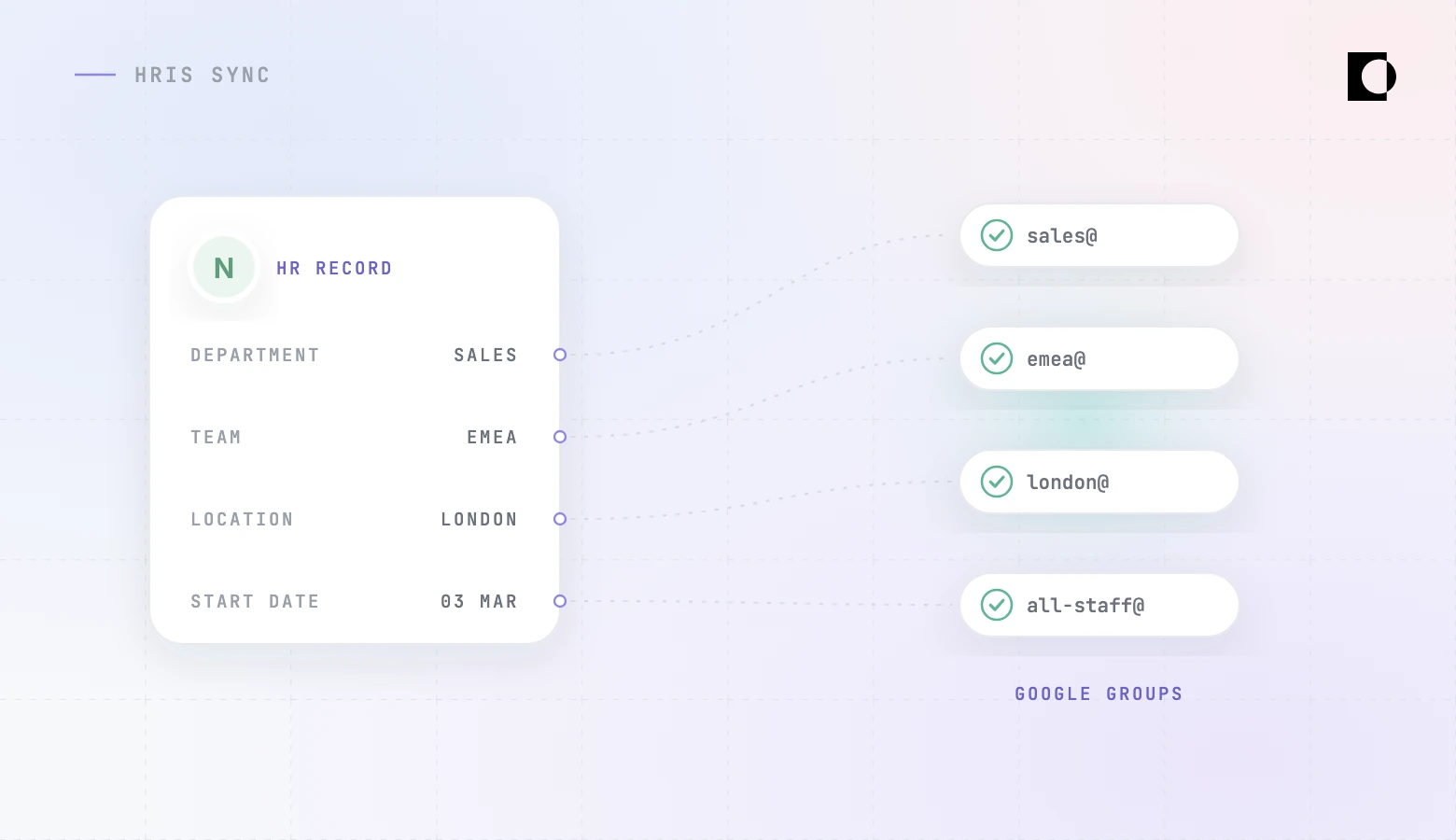
When a People team runs IT, the cleanest setup makes HiBob the single source of truth and lets Google Workspace follow it. A hire entered in HiBob gets a Google account and the right groups, a department change updates those groups and an inactive status suspends Google access, each on the next HR sync. ShiftControl, purpose-built for Google Workspace, runs this flow for People-led teams with no IT hire. Car-sharing company GetGo uses ShiftControl to automate provisioning from HiBob to Google Workspace. ShiftControl's founders scaled IT at ExpressVPN.
TL;DR
- Make HiBob the record of who someone is and Google Workspace the record of what they can reach. When HiBob changes, sync those changes to Google Workspace groups.
- Group rules by department, location and team do most of the work. Individual app grants should be rare.
- The mover step (a role or team change) is where access quietly piles up. Automate it right after joiners.
- Automation removes Google access on exit. Accounts inside third-party apps still need an owner to close them.
- You don’t need an IT hire to run this, but you do need clean HiBob data.
About the Author
This guide comes from ShiftControl, which builds joiner, mover and leaver automation for Google Workspace teams where a Head of People, COO or Finance lead owns IT.
Why should HiBob be the source of truth for user lifecycle management?
User lifecycle management means creating, changing and removing a person’s access as their employment changes. It only works when one system decides who is employed and in what role, and for a People team that system is already HiBob.
The practical rule: nobody edits department, manager or location by hand in Google Admin. Those fields flow from HiBob. Fields edited in two places drift apart, and every access rule built on them drifts too.
What does the joiner mover leaver process look like between HiBob and Google Workspace?
With one source of truth in place, the joiner mover leaver process maps three HiBob events to three Google Workspace actions.
| Stage | HiBob trigger | Google Workspace action | What still needs a person |
|---|---|---|---|
| Joiner | New hire record with a start date | Account created on the next HR sync, groups assigned, MFA enrollment prompted at first login | Access to apps outside Google |
| Mover | Department, title or location change | Group membership updated on the next HR sync | Removing old-role access in non-Google apps |
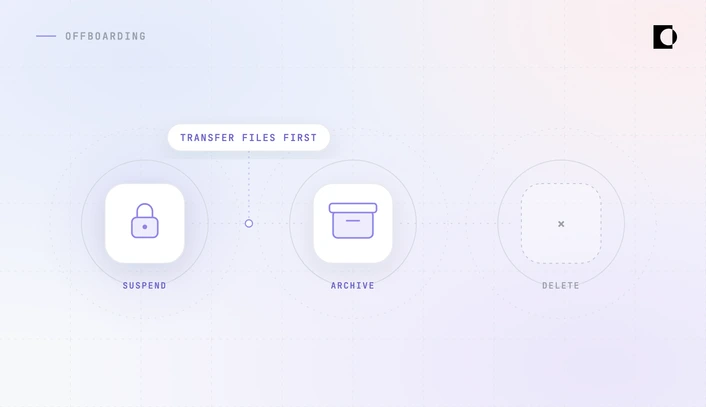
| Leaver | Employee marked inactive | Google account suspended and removed from groups on the next sync | Closing accounts inside third-party apps |
One detail matters more than it looks: movers get forgotten. Joiners get attention because someone is waiting, and leavers get attention because of risk. Movers simply keep their old access. After a few role changes, one person can hold permissions from several teams.
How do Google Workspace dynamic groups turn HiBob data into access?
The mechanism that makes JML automation hold up as you grow is attribute-based groups. Google Workspace dynamic groups set membership from user attributes instead of a manual list, and Google offers them natively on certain editions. ShiftControl applies the same idea through its own rules by department, location, team or role, granting access the moment someone joins a group.
As Ed Bosher, CTO of Arena Entertainment, put it: “In minutes I’m able to create all the rules and groups we need.”
Think of a mailroom that sorts by the department label on each envelope instead of a list of names. When someone moves desks, nobody updates the mailroom: the label changes and delivery follows. When HiBob changes a person’s department, the rule reassigns their groups, and every app tied to those groups follows.
The catch is that rules are only as good as the label. A blank or inconsistent department field in HiBob drops a person through every rule. Keeping HiBob data clean is the part that needs ongoing care.
What does JML automation still leave for app owners?
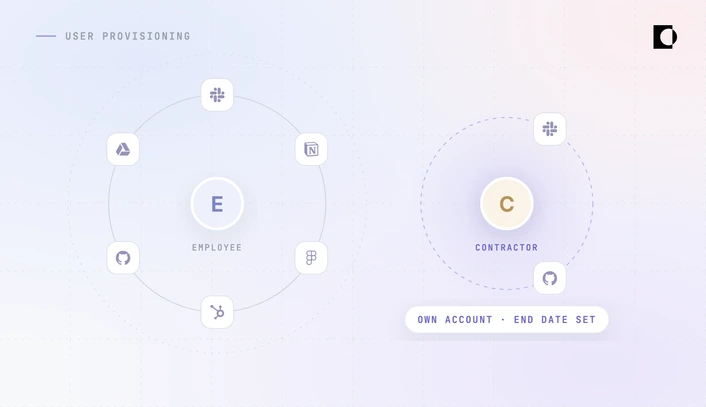
An honest plan also states what automation does not cover. Suspending a Google account does not remove the matching account inside a third-party app. Accounts created with a work email and password aren’t linked to Google’s sign-in layer at all. ShiftControl handles this by automating Google access fully and turning every other app into a task for its owner, so nothing depends on someone’s memory.
A second gap is app permissions. Third-party apps often request OAuth scopes to Google Workspace data, and a compromised token can be used to pull that data out. Reviewing which apps hold which scopes belongs in the regular JML checklist, revisited whenever an app owner leaves.
How should HiBob pricing, reviews and alternatives factor into IT automation?
A related question is whether your HRIS choice changes any of this. It mainly affects data quality and how much the integration can read. Confirm HiBob pricing directly with HiBob for your headcount and modules. When reading HiBob reviews, or weighing HiBob vs BambooHR and other HiBob alternatives such as Deel, Gusto, Humaans or Rippling, filter for provisioning questions:
- Does it expose department, location, manager, start date and end date through an API?
- Can future start dates be entered so accounts are ready before day one?
- Are terminations recorded with an effective date?
- Does your provisioning tool already connect to it?
ShiftControl connects to all of the HR systems above, plus OmniHR and Shapes, so the HRIS decision can rest on HR needs. Its GetGo case study shows the HiBob path in practice: a company where People runs IT automated provisioning from HiBob to Google Workspace and JumpCloud through ShiftControl, while noting that not every workflow is fully automated yet.
How do you set up HiBob to Google Workspace provisioning?
Putting the pieces together, a People team can follow these steps:
- Clean HiBob. Standardize department, team and location names for every active employee.
- Map attributes to groups. Create one Google group per department and location, and attach apps to groups.
- Connect the systems. In ShiftControl, sign in with a Google admin account, authorize and sync departments, teams and locations. Setup takes about 30 minutes through a single Google Workspace login.
- Test a real joiner. Confirm the account, groups and MFA prompt.
- Test a mover and a leaver before switching rules on for everyone.
- Name an owner for every non-Google app.
Frequently Asked Questions
Do we need an IT hire to run JML automation?
No. With HiBob as the source and group rules in place, a People or Operations lead can run it.
When should a new hire’s Google account be created?
On the next HR sync after the hire is entered in HiBob.
Does suspending a Google account remove access to every app?
No. It cuts Google sign-in, but accounts inside third-party apps must be closed by their owners.
What breaks most often?
Inconsistent HiBob fields. A missing department means no group rule applies.
What does ShiftControl cost?
HiBob sync is included in ShiftControl Core at $10 per user per month, billed annually. A separate startup tier costs $2 per user per month, billed annually, locked for the first year, for companies under 5 years old with 30 people or less.
Is incident response included?
Yes. Cyber incident response (IR-1, via Blackpanda) is included on annual Core and Enterprise plans.
About ShiftControl
ShiftControl is IT built for operators, not IT teams, purpose-built for Google Workspace and set up through a single Google Workspace login. It brings provisioning and access, SaaS spend management, app-permission visibility and incident response into one platform. ShiftControl is SOC 2 Type 2 compliant, ISO 27001 certified and signed the CISA Secure by Design Pledge in 2024.
If your People team owns IT and HiBob already holds the truth about your staff, see how ShiftControl turns it into Google Workspace access at shiftcontrol.io.
Get started
Experience SaaS management as it should be: straightforward management and robust security with ShiftControl.
Start free trial